
Download Album4Life – digital album, photo album, memory keeper, slideshow, share memories, Android app, free photo app, multimedia app
Overview
Album4Life is a free multimedia Android application designed to help users preserve and organize their cherished memories digitally. Developed by Marv Systems Pvt. Ltd., the app functions as a virtual photo album, enabling users to store, manage, and share photos and videos from their mobile devices. It serves as a convenient solution for individuals seeking a simple, intuitive way to curate their visual content without relying on cloud-based platforms. The app is particularly suited for casual users, families, and anyone who values personal mementos and wants to maintain them in a structured, accessible format.
Album4Life addresses the common challenge of digital clutter by offering a centralized space to categorize and view memories. Users can create custom albums, add captions to media files, and enjoy a seamless viewing experience through a dedicated slideshow mode. The app’s focus on usability makes it ideal for non-technical users who want to keep their memories organized without complex workflows. Real-world usage scenarios include documenting family events, travel experiences, or daily life moments, all of which can be preserved and revisited at any time. The recent update to version 2.3.1 resolved prior sharing issues, improving reliability and user satisfaction.
Key Features & Capabilities
- Custom Album Creation: Users can create personalized albums to group photos and videos by event, person, or theme, enabling easy retrieval and organization.
- Caption Support: Each photo or video can be annotated with descriptive text, enhancing context and making memories more meaningful over time.
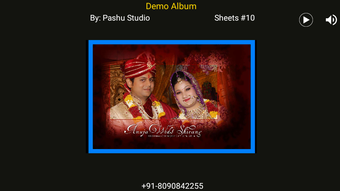
- Slideshow Mode: The app features a built-in slideshow function that allows users to view their media in a dynamic, cinematic format with customizable playback settings.
- One-Tap Sharing: Memories can be shared directly with others via messaging apps, social media, or email with minimal effort, promoting quick and effortless connection.
- Media Management: Simple tools for sorting, viewing, and navigating through large collections of photos and videos without overwhelming the user.
These features collectively enhance the user experience by transforming raw media into curated, shareable stories. For instance, a user can create a “Vacation 2024” album, add captions like “Sunset at Maldives Beach,” and then play it as a slideshow during a family gathering. The ability to organize content and share it instantly makes Album4Life a practical tool for preserving personal narratives in a digital format.
User Interface, Workflow & Performance
Album4Life presents a clean, user-friendly interface optimized for mobile touchscreens. The navigation is straightforward, with clearly labeled icons and a logical layout that minimizes the learning curve. Users can access albums, media files, and settings through a consistent menu structure, ensuring smooth interaction across different sections of the app. The workflow is designed around simplicity—adding media, creating albums, and sharing content can be done in just a few taps.
Performance details were not specified by the developer. However, based on general Android app behavior and the app’s relatively small size of 12.5 MB, it is likely to operate efficiently on mid-range devices. The app’s lightweight nature suggests minimal impact on battery life and system resources. Stability is expected to be solid, especially after the recent update that addressed sharing bugs. The developer did not provide additional system requirements or performance benchmarks.
Compatibility & System Requirements
Album4Life is designed for Android devices and is compatible with the latest Android versions, as confirmed by the most recent update. The app supports a wide range of Android smartphones and tablets, though specific device models were not listed. The installation size is 12.5 MB, indicating a compact footprint that does not consume significant storage space on the device.
Exact system requirements were not listed by the developer. Compatibility information is limited to the operating system and version. Users should ensure their device runs a current Android version to access all features and benefit from the latest improvements. No additional hardware specifications were provided.
Pros and Cons
Pros
- Free to download and use with no hidden costs
- Simple, intuitive interface suitable for all age groups
- Supports photo and video organization with custom albums and captions
- Includes a built-in slideshow mode for immersive viewing
- One-click sharing functionality enhances social connectivity
Cons
- No cloud backup or synchronization features mentioned
- Exact system requirements not publicly disclosed
- Limited to Android platform; no support for iOS or desktop
- App size, while small, may still impact storage on low-end devices
- Offline-only functionality; no real-time collaboration or remote access
FAQ Section
Is Album4Life available for iOS devices?
Currently, Album4Life is only available for Android devices. There is no official version for iOS or desktop platforms.
Does the app require an internet connection to function?
Album4Life operates primarily offline. Users can view, organize, and share media without an internet connection. However, sharing via certain platforms may require an active connection.
Is Album4Life safe to download and use?
As a free app developed by Marv Systems Pvt. Ltd., Album4Life is available through official Android channels. Users are advised to download from trusted sources to ensure security.
How often are updates released?
The app has been recently updated to fix sharing issues. The developer has not specified a fixed update schedule, but improvements are expected to follow user feedback.
Can I use Album4Life without creating an account?
Yes, Album4Life does not require a user account or login. All data is stored locally on the device, ensuring privacy and ease of access.
Final Thoughts
Album4Life delivers a focused, no-frills solution for digital memory preservation on Android. Its simplicity, combined with essential features like album creation, captioning, and slideshow playback, makes it a compelling choice for users who value personal content without the complexity of cloud services. While it lacks advanced features such as cross-device sync or cloud backup, its lightweight design and ease of use make it ideal for casual users and families looking to keep their memories organized and shareable. The app’s recent update enhances reliability, and the free pricing model increases accessibility. For those seeking a straightforward way to turn photos and videos into meaningful digital albums, Album4Life stands out as a practical and secure tool.
Download Album4Life now





.png)

